
Successful parallax scrolling effects are not the result of a wow trick, but of meticulous orchestration of narrative, rhythm and performance. To achieve fluid, immersive and measurably effective rendering, you need to think in sequences, deal with depth and anticipate the experience on every device. Here's how to design and produce compelling experiences from first prototype to online release, without sacrificing accessibility or speed.
Start with the screenplay
Before even choosing a technique, draw up a plan for the experience. At what stage of the journey should the animation take place? What message should land at the end of the animated segment? Imagine a narrative timeline rather than an isolated effect. The milestones: an initial visual hook, an increase in intensity (elements that reveal themselves, subtly shifting parallaxes), then a clear resolution (benefit, CTA, or transition to a more informative section). This structure reduces the risk of animating for the sake of animating and helps you to allocate the user's attention sparingly.
Then create a screen script where each scene on the page corresponds to an intention. For example, scene 1: signify the promise of value via a photo background that moves slightly more slowly than the content. Scene 2: reveal three supporting proofs as you scroll, with illustrative layers that converge on the text. Scene 3: calm the movement to make way for a comparative section or social proof, based on minimal animation. By organising your narration into breathy rhythms, you avoid over-stimulation and maintain exemplary legibility.
Choosing the right moments for commitment
We often talk about too much when these animations take precedence over the message. The sustainable approach is to activate depth and perspective only when they help understanding or emotion. User tests show that a strong first impression, followed by more discreet animations, is more likely to be remembered than transitions all over the place. For this reason, focus on key moments: the hero's catchphrase, the presentation of a complex product, or the footer where the benefits are summarised visually.
For results-driven inspiration, check out resources that contextualise usage, such as this article on how to boost engagement on your site through precise use of rhythm and depth animations. Identify recurring patterns that align aesthetics and conversion rather than imitating spectacular but irrelevant effects.
Composing the scene: layers, hierarchy and depth
Visualise your sections as scenes with different planes: background (textures, photos, gradients), middle plane (illustrations, icons, visualisations), foreground (title, copy, call-to-action). Give each layer a role: the background anchors the mood, the middle layer illustrates, the foreground convinces. Don't let the background steal the limelight from the message: its movement should be slower and its saturation more controlled in order to remain a supporting actor.
Calibrate the amplitudes too. An offset of 10 to 20% between two planes is often enough to create a sensation of depth without causing untimely shifts. The more important the element is for understanding, the more discreet its movement should be; the more decorative it is, the more expressive it can be. This rule avoids cluttering up the cognitive channel.

Hotel Web Design is a Google partner with Google Hotels :
your availability and rates are continuously sent to Google, which displays free booking links
to your booking page.
These links can represent around 10% to 15% additional commission-free bookings.
Read the article on
Google's free booking links
.
Mock-up: from idea to prototype
Low-fidelity prototyping remains your best ally for testing the rhythm. First create a static model to lock in the hierarchy, then gradually add offsets and timings. Document each scene: initial state, mid-course offset, final state. In the design system, create a set of animation primitives (slow, medium, fast speed; low, medium translations; opacity; limited rotations) that can be reused throughout the site. This harmonises rendering and reduces front-end debt.
Visual composition also benefits from being based on a rigorous grid to limit reading vibrations when elements move. If you need a structured reminder, see our resource on’grid approach, sections and columns, which is very useful for framing animations without losing typographic alignment and key distances.
Implementation techniques: when CSS is enough, when JS is essential
The closer the solution is to pure CSS, the more you minimise the risk of jank. On the desktop, simple effects can be based on transformations and opacity controlled by CSS classes and variables, or by modern scroll synchronisation techniques. Reserve JavaScript for complex scenarios (conditional timelines, interactions between several layers, pinned sections). Here are a few technical guidelines to help you make the right choices:
Material transformations and fluid rendering
Use GPU-friendly properties: transform and opacity, rather than top/left/width/height. In practice, playing on translateY/translateZ with smooth interpolation will generally hold 60 fps on modest machines. Declare will-change sparingly, on strategic elements and only as long as necessary, to avoid overloading memory.
Visual assets: weight, dimensions, formats
Opt for WebP/AVIF where relevant and provide responsive images via multi-size sources, so that each screen downloads the essentials, no more. Avoid gigantic backgrounds that span 3000+ pixels in height if the animation only uncovers 30% of the area. Cut into optimised layers if necessary.
Scroll interactions and precision
Linking movement directly to scroll requires the signal to be smoothed. You can interpolate the scroll value to avoid micro-saccades on sensitive trackpads. Pinned sections allow you to keep a fixed reference point for scrolling a micro-narrative without disorientatingly dragging the whole page. Keep perceived durations short: 1 to 2 screens for a sequence, no more, except in the case of fully assumed editorial scrollytelling.
WordPress case study: producing fast without sacrificing quality
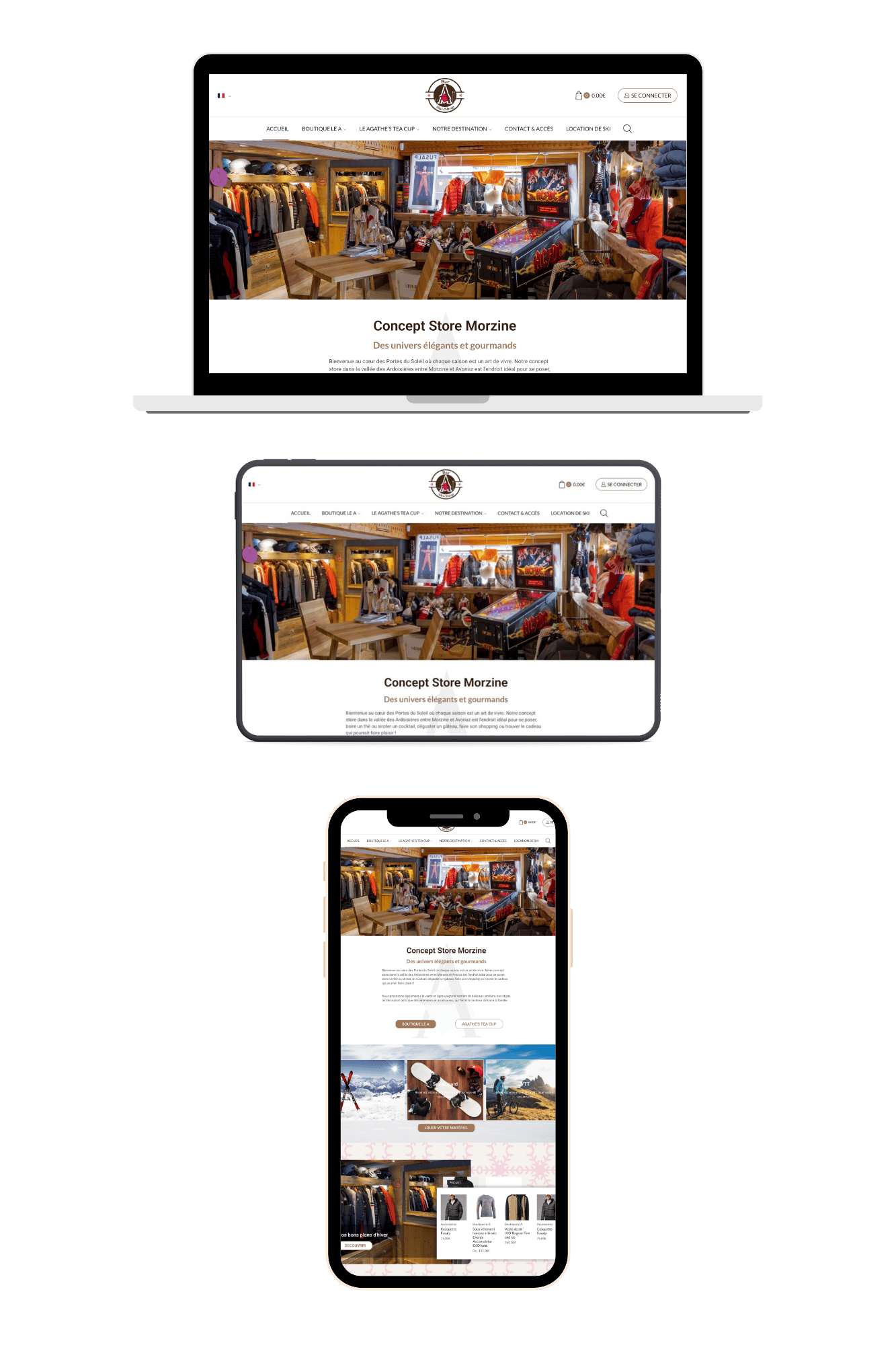
On WordPress, the temptation of turnkey plugins is strong. Choose solutions whose rendering and performance have already been tried and tested, with fine control over breakpoints, and check that they support animation reduction. For a step-by-step guide, see how to add a parallax effect in WordPress, and adapt the configuration to limit complexity: one or two hero scenes, sober reveals between sections, and a final sequence to the CTA.
Accessibility: priority to visual comfort and understanding
Always offer a calm alternative. Respect the animation reduction system preference: if the user has activated this parameter, replace significant movements with opacity transitions or non-animated changes of state. Limit rapid translations and inverted parallaxes, which can be uncomfortable.
Keep the semantic hierarchy intact: headings, paragraphs and buttons must remain legible and focusable when the animation is playing. Avoid essential content that is only visible halfway through a sequence; make it accessible in the DOM in a linear fashion. Finally, test with the keyboard and screen readers: the tab order must not follow an element that moves out of frame.
Mobile: reduce, simplify, prioritise
On mobiles, the usable surface area, computing power and network conditions mean that simplification is essential. In most cases, a successful mobile version involves a reduction in amplitude, fewer layers and sometimes static fallback. Testing gestures and the position of the address bar (which appears/disappears) is crucial, as it affects the perception of speed and visual stability. Fluid units and clamp functions help to maintain legible text sizes and constant spacing despite movement.
Measurement and evidence: assessing impact without bias
An animation that appeals internally is not necessarily effective. Set up controlled experiments: version A with a short, sober sequence, version B with a fuller sequence. Monitor the indicators for scroll depth, interaction with CTAs, conversions and time spent. Cross-reference these metrics with the Core Web Vitals (LCP, CLS, INP) to check that the animation does not impair the perception of speed or interactivity.
If you work in the hotel or highly seasonal sectors, adapt your metrics to the realities on the ground (decision windows, traffic sources, average shopping baskets). Here are a few guidelines: good measures for hotel sites. The idea is to align the staging with routes that change according to the period and the intention (inspiration, comparison, reservation).

Hotel Web Design is the 100% web agency dedicated to the hotel industry, helping you with all aspects of
digital communication: reservation websites, natural referencing specialising in the hotel industry, Google Ads, etc.
and Google Hotel Ads, social networking campaigns, graphic charters and logos.
Make an appointment today for free advice on optimal digital management.
SEO and discoverability: staying visible while animating
Scroll sequences do not prevent excellent discoverability. Ensure the presence of indexable text copies, relevant title tags and alt attributes for your visuals. Reduce blocking dependencies (heavy scripts, non-critical fonts). Animations should never prevent the initial rendering of the content; prefer a rapid display of the page skeleton, on which layers gradually enrich the experience. Consistency between the promise visible above the waterline and the content that follows remains a determining factor for organic engagement.
Targeted inspiration: decoding what really works
The best curation highlights the why behind the how. To study successful patterns, you can browse these 40 examples of parallax effects and best practice. Analyse for each: the number of layers, relative speed, lighting, perceived fluidity on different devices, and the way in which the animation prepares the user for a clear choice.
Editorial and scrollytelling: when the story comes first
In editorial contexts, a longitudinal layout can transform a complex subject into an intuitive journey. The discipline consists of punctuating the message with reading levels, punctuated by sober animations: maps that fill in, figures that emerge, photos that zoom in slightly. However, the media must maintain speed and multi-browser compatibility. For a structured approach to information-intensive sites, consult this media-oriented guide: online media, which is useful for integrating animated sequences without compromising hierarchy or publication priorities.
Brand, trust and conversion: a delicate orchestration
Successful animation reinforces brand perception. It underlines a tone, a texture, a promise. Keep in mind that consistency is key: a style of movement linked to an identity (calm speed, rounded trajectories, colourimetry) facilitates recognition and trust. Don't let your effects take the place of proof: testimonials, reassurance signals and demonstrations remain central.
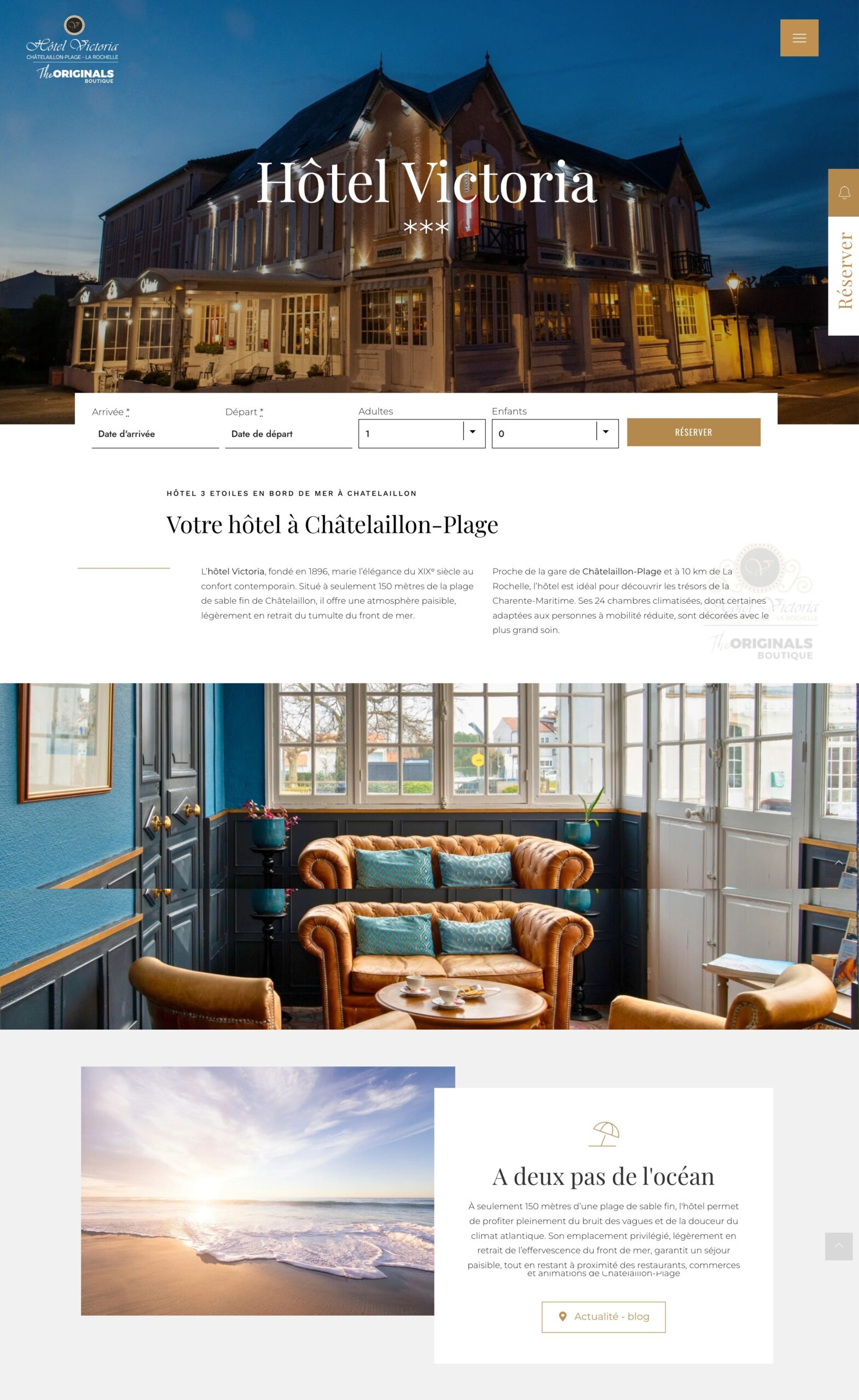
In competitive markets, you also need to keep control of the narrative surrounding your offer. The attention captured by carefully crafted scenes should lead to useful interaction (registration, trial, booking). Competing aggregation players take advantage of the grey areas of the customer journey and paid search. Here's a related look at advertising mechanics in the hotel sector: Booking strategies via Google Ads. Cross-disciplinary teaching: each animated scene should bring the user closer to a proprietary action rather than scattering them.
Governance, professions and new skills
Creating fluid scenes requires cross-disciplinary expertise: visual design, motion, front-end integration, performance, accessibility and copywriting. Successful organisations define a shared animation language and cross-team checklists. Automation tools and AI now support the exploration of variations and multi-appliance optimisation. To take a step back from these developments, see this article on AI and web professions, This is useful for anticipating role transitions and building a lively but controlled experience pipeline.
Performance check-up: avoid the pretty but heavy
Before going online, check your page thoroughly:
1) Display time: does critical content appear within 2-3 seconds on the average mobile network? 2) Fluidity: does the animation maintain a stable rate on 3-4 year old machines? 3) Interaction: are the buttons quickly usable during the sequences? 4) Clean-up: have unused images, redundant libraries and non-essential scripts been removed? 5) Accessibility: have animation reduction and keyboard navigation preferences been tested? 6) Legibility: are contrast, text size and content density still comfortable, even when moving? 7) Regression: does the effect break anything when JavaScript is deactivated?
Set up a continuous improvement loop: measure, adjust the amplitude, compress more, resample assets or reduce the number of layers. Small cumulative optimisations can turn an experience that's just pretty into a truly effective journey.
Common traps and antidotes
The No. 1 trap is accumulation. Each scene must justify its existence by contributing to the message. Antidote: animation budget per page (e.g. two major scenes, two minor ones), to be negotiated at the design kick-off. Pitfall no. 2: ignoring extremes (very small, very large screens). Antidote: dedicated breakpoints and static fallback as soon as the amplitude compromises legibility. Pitfall 3: animations that mask loading times. Antidote: strict separation between skeleton states and storytelling animations; the former serve the perception of speed, the latter serve the narrative.
Your quote in 5 minutes
Pitfall no. 4: Visual confusion due to overly rich assets (highly detailed photos, heavy typography, vibrant colours). Antidote: sobriety, narrow palette, clear typographic hierarchy. Pitfall no. 5: layout shifts during scrolling (visual jumps). Remedy: space reservations, stable measurements and images with explicit dimensions. Pitfall 6: relying on a monolithic library that slows down the whole page. Antidote: assess the load, activate partial import, or recode key requirements into vanilla/native solutions.
Prototype quickly, deliver reliably
A pragmatic method for producing a first version in a fortnight: Week 1: storyboard, asset selection, low-fidelity prototype with a hero scene and a proof scene. Week 2: optimised front-end implementation, tests on three device profiles (mid-range mobile, entry-level laptop, high-performance desktop), accessibility and performance iterations, A/B test on amplitude or tempo. Deliver a targeted V1, then expand if the metrics confirm the value.
Examples of uses by sector
B2B product: educational use. Illustrate invisible processes (data flow, security) with layers that materialise cause and effect. Retail: sensory enhancement of the product. Make materials and details breathe with slight variations in light and depth. Saas: explain time savings visually. Synchronise key figures and micro-animations to give the measure of the benefit without distracting from the next action.
Media: enrich a story without weighing it down. Keep a high-performance base, and apply animations only in scrollytelling islands. Education: support memorisation. Combine progressive diagrams and short texts, with a steady cadence to avoid fatigue. Hotels/tourism: arouse desire without hindering bookings. Focus on slow panoramas above the fold, then let the form and rates take over.
Linking design, content and business
The success of an animated experience depends on its consistency with the content and the business objective. Involve the content team from the very first mock-ups: each sentence must arrive at the right moment, with enough space around it to be easily read. Draw up a movement chart that translates the brand's personality into speed, animation curves and visual intensity. Document the limits (what we don't do) as clearly as the validated patterns.
Taking action
If you need to deliver quickly, focus on three elements: a perfectly optimised hero scene, a central sequence that demonstrates value, and a smooth transition to the CTA. Deploy, measure, adjust. Need short, effective support to frame, prototype and audit your existing animations? Request a quick quote, and we'll set the priorities for storytelling, performance and accessibility to suit your context.

Useful references for maintaining consistency
In addition to a design system, keep a reference file with: a list of validated amplitudes (small, medium, large), typical durations/delays, palettes and shadow levels compatible with depth, examples of scenes that scored well in user testing, and a QA checklist dedicated to animations (system preferences, visual comfort, keyboard focus, layout stability). For ongoing visual culture, keep a watch list of selected examples with arguments (what, why, how, and what you would do differently).
Conclusion: depth at the service of meaning
Scroll animations are only worthwhile if they clarify, guide and move in the right way. The winning discipline: start with the story, compose the depth with sobriety, implement with extreme concern for performance and accessibility, and measure without complacency. The result is an experience where form magnifies content, where every move tells a useful story and where conversion progresses without compromise.















Hotel Web Design is a Google partner with the Google Hotelsincluding our customers benefit on a daily basisGoogle search: information about your accommodation, availability and prices is sent continuously to the search engine, which displays free booking links from the Google search directly to your booking page. These free links represent around 15% of additional commission-free bookings for our customers in 2022! Read our article on free booking links from Google
Booking / reservation website
-
Booking services for hotels and holiday rentals
- Turnkey site with administration interface training on delivery
- Adapted logo and graphic charter. Possibility of using your existing elements
- Hospitality SEO
- Integration of reservations module
- or integration of an external booking engine (Reservit, Availpro, Mister booking, Roomcloud, etc)
- Integration of specific HTML elements (review portals, customer reviews, weather, press, pop-ups, direct chat, etc.)
- Secure SSL / HTTPS
- Multilingual
- Website user interface
- Hosting and domain name
- Fast delivery

Hotel Web Design is the web agency 100% dedicated to the hotel industryWe can help you with all aspects of digital communication for your accommodation: booking websites, natural referencing specialising in the hotel industry, Google Ads referencing and Google Hotel Ads, social networking campaigns, graphic charters and logos for hotels.
Make an appointment today for free advice on how to optimise the digital management of your accommodation.